Campus Network Service
 Published: 2025-11-06 17:00
-

-

These systems are in Chinese. Names in Chinese below are exactly what you see on screen; the Glossary explains them.
Service Name: Campus Network Service
Service For: All currently enrolled students and staff
Service Description: Connect your device to the campus network by cable or Wi-Fi, then sign in.
1. Your Account
- International students of 国教学院 (School of International Education): ask its international student office for your account and password.
- Everyone else: the account is your 校园卡卡号 (campus card number) and the password is your Smart WUT(智慧理工大) password. The initial Smart WUT(智慧理工大) password is
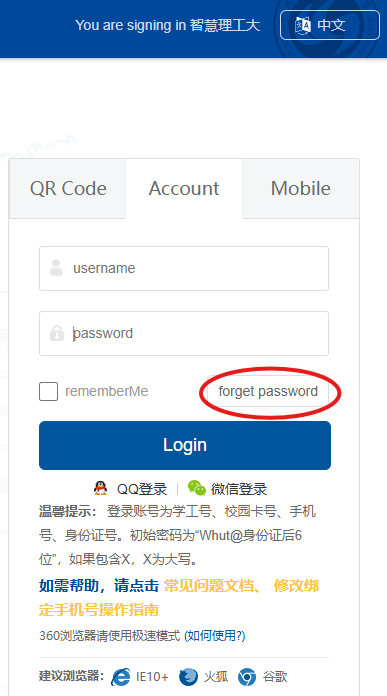
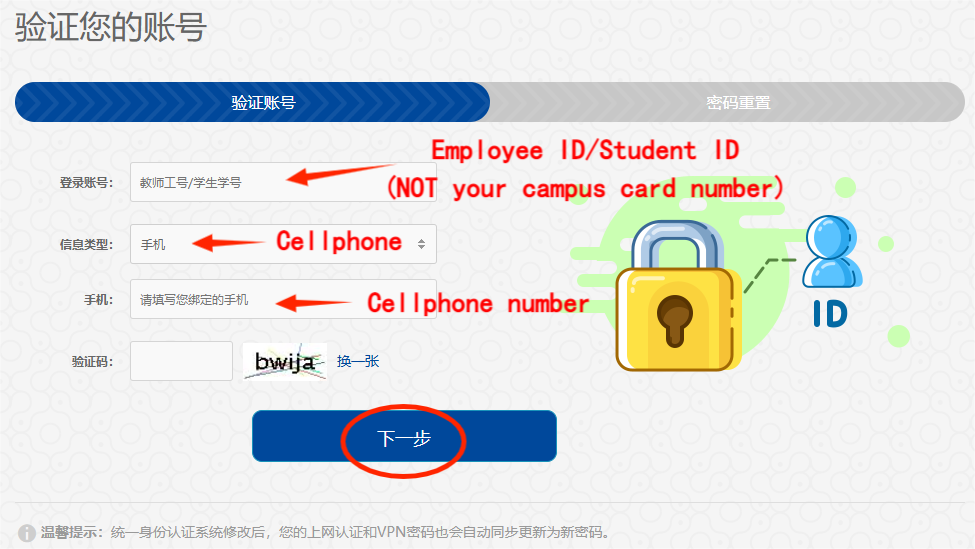
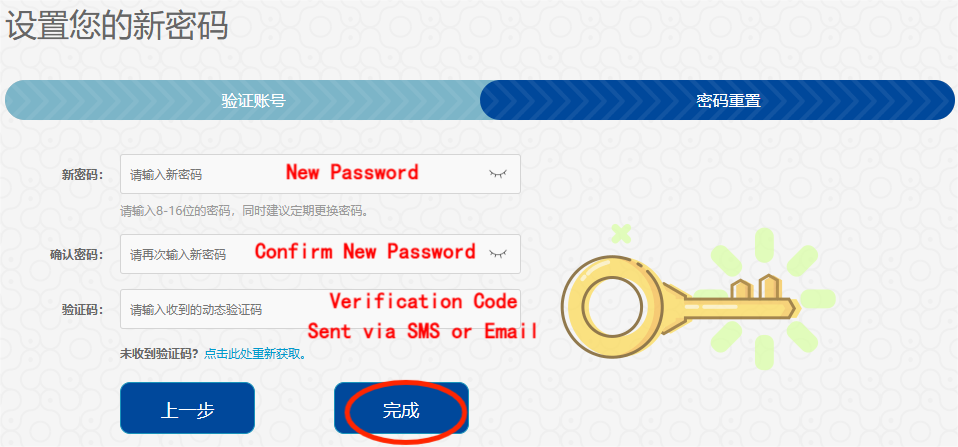
Whut@followed by the last 6 characters of your passport or ID number; type any letters in upper case. - Forgot the password? On the Smart WUT(智慧理工大) sign-in page (zhlgd.whut.edu.cn) click 忘记密码 (“forget password” after you switch the page to English) and verify by SMS or email. The new password must have at least 8 characters, with upper-case and lower-case letters, digits and a symbol such as @ # $. It reaches the campus network after about 5 minutes.
2. Connect
- Cable: plug your computer into the wall network socket.
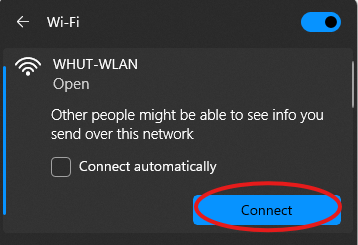
- Wi-Fi in teaching and office areas: WHUT-WLAN (simple sign-in, remembered for 7 days) or WHUT-1X (a few more steps to set up, remembered for 30 days).
- Wi-Fi in dormitories: WHUT-DORM if you have campus network access in your dormitory, or WHUT-ISP if you have a broadband plan from a telecom operator.
If the Wi-Fi icon shows “!” or “no internet”, you are connected to Wi-Fi but not signed in yet.
3. Sign In
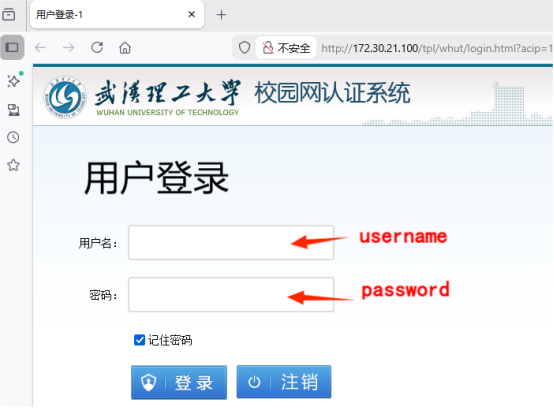
- Open a browser and visit any website. The 校园网认证系统 (campus network sign-in) page opens by itself.
- Under 用户登录, fill in 用户名 (account) and 密码 (password), then click 登录. 注销 signs you out.
If the page does not open, clear the browser cache, or type 1.1.1.1 into the address bar.
4. Automatic Sign-In
After your first sign-in, the network remembers your device (by its MAC address) and signs it in automatically. To see or remove remembered devices, use either:
- 企业微信 → 工作台 → 校园网 → 无感知管理, or
- selfaaa.whut.edu.cn (武汉理工大学自助服务平台, campus network only): 在线管理 → 无感知认证. 我的在线 lists the devices online now; 下线 signs one out.
5. If Your Computer Gets No Address (Windows)
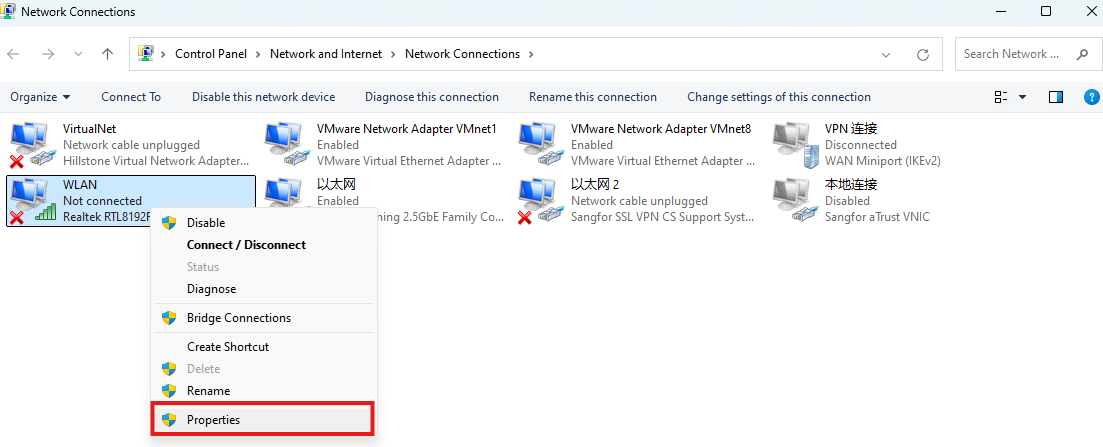
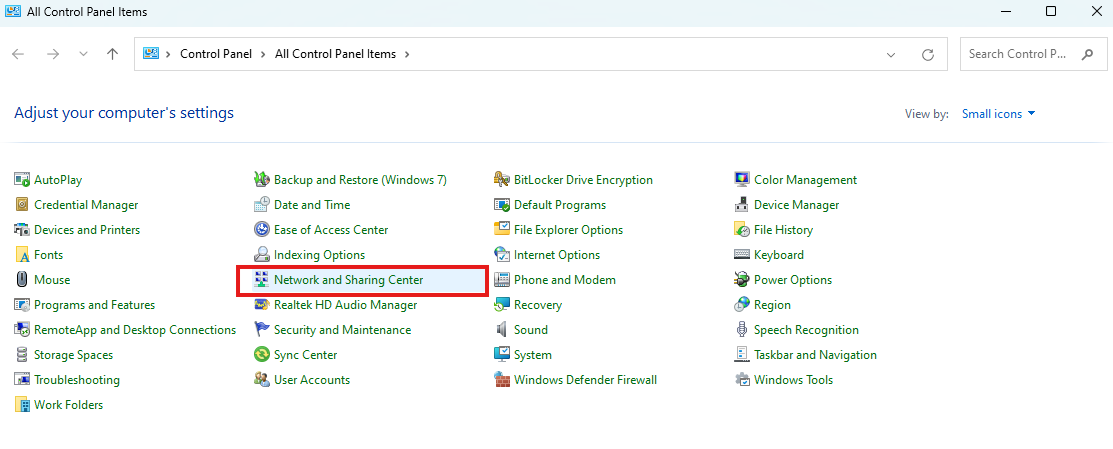
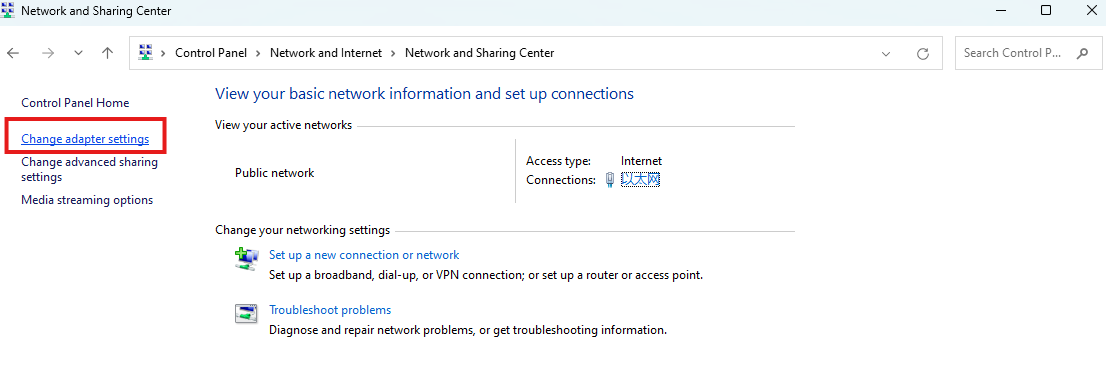
- Open Start → Control Panel → Network and Internet → Network and Sharing Center → Change adapter settings.
- Right-click the adapter connected to the campus network and choose Properties. If the computer has several adapters, pick the one connected to the campus network.
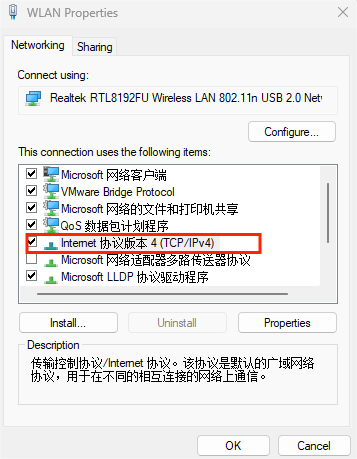
- Double-click Internet Protocol Version 4 (TCP/IPv4).
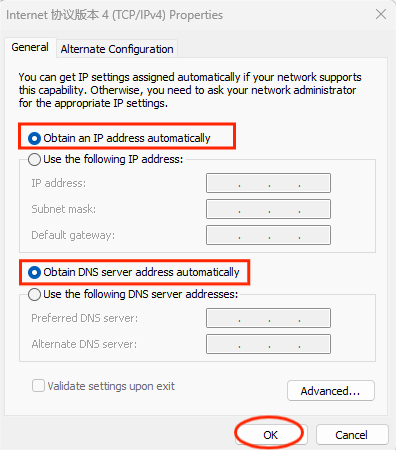
- Select “Obtain an IP address automatically” and “Obtain DNS server address automatically”, then click OK.