
WUT VPN Service
 Published: 2025-11-06 16:44
-

-


These systems are in Chinese. Names in Chinese below are exactly what you see on screen; the Glossary explains them.
Service Name: WUT VPN Service
Service For: All currently enrolled students and staff
Service Description: The VPN lets you reach university systems and library databases from off campus. On the campus network you do not need it. There are two kinds:
1. WebVPN: in a Browser
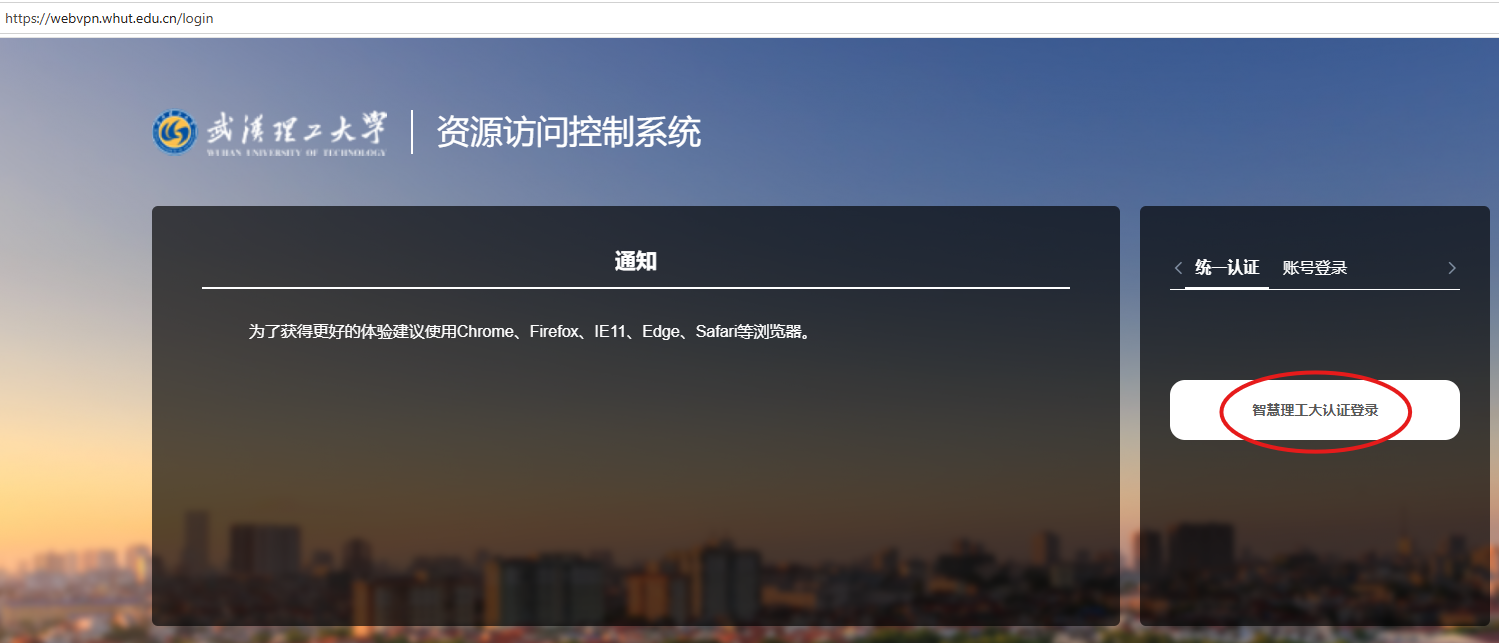
Open webvpn.whut.edu.cn on a computer or phone. Nothing to install. The page is titled 资源访问控制系统; click Smart WUT(智慧理工大)认证登录 (sign in with Smart WUT(智慧理工大)).
2. aTrust: with a Client
For teaching and research servers, for example managing a server remotely or activating licensed software off campus.
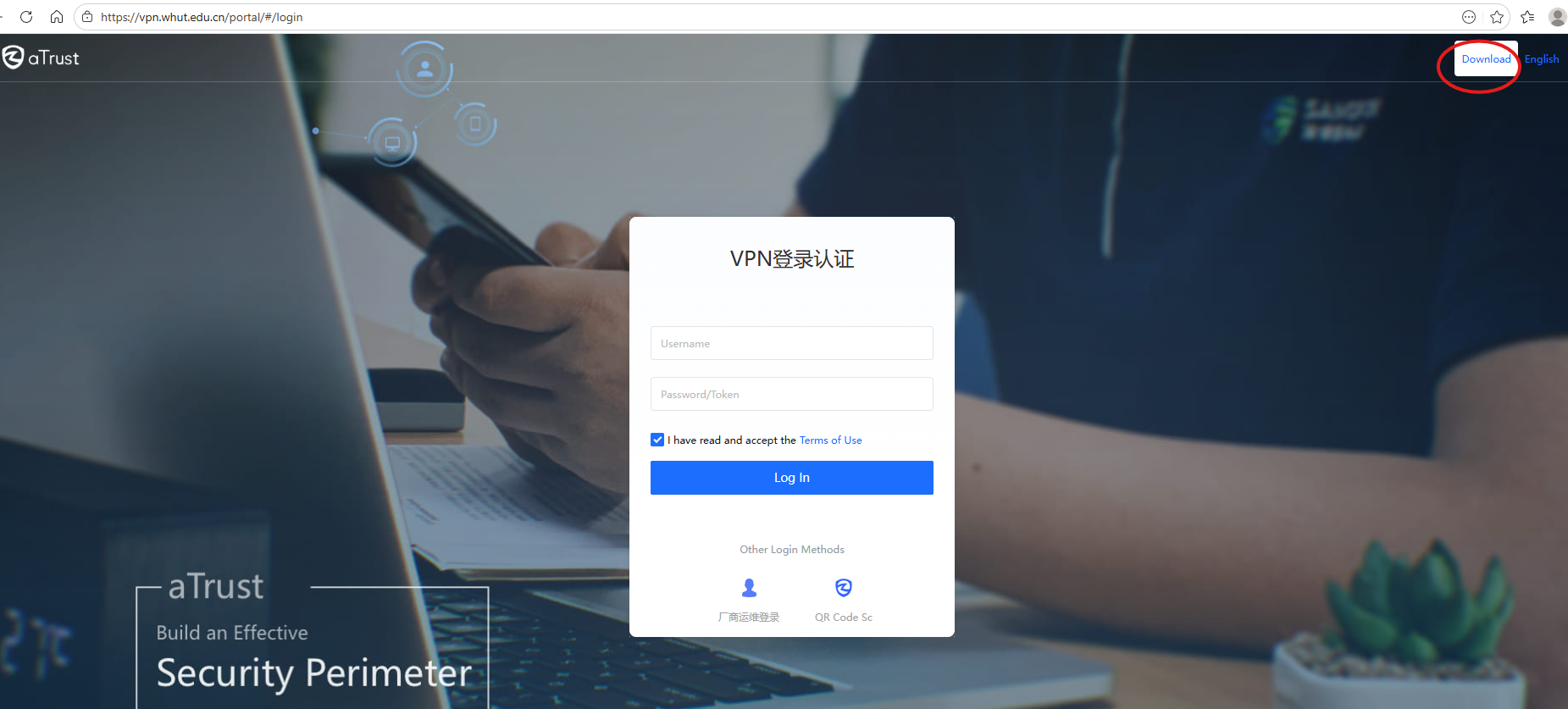
- Open vpn.whut.edu.cn. This page has an English switch (English, top right).
- Click 下载客户端 (download client) at the top right and install the client for your device.
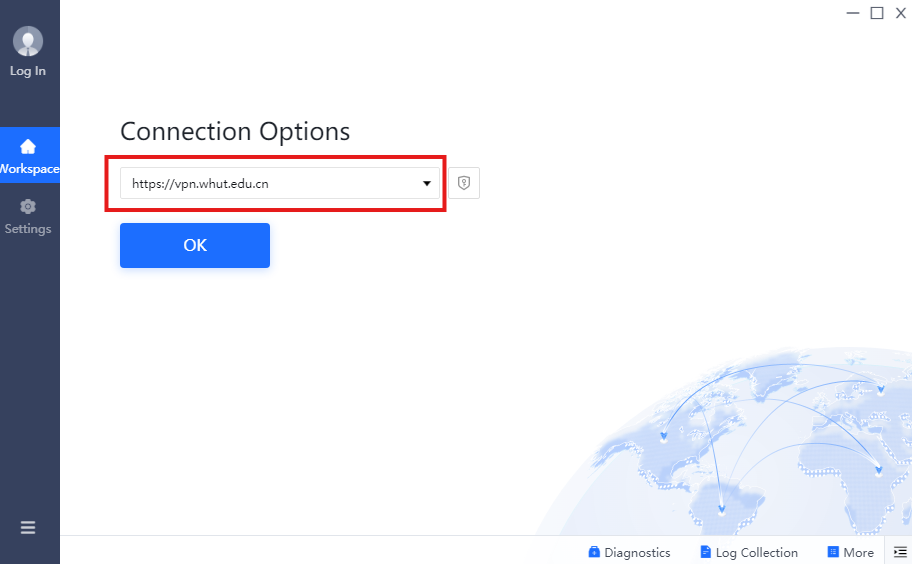
- In the client, enter the server address
https://vpn.whut.edu.cn. - Sign in: 请输入账号 (account), 请输入密码/口令 (password), tick 我已阅读并同意《用户协议》 (I agree to the user agreement), then click 登录.
Account and Password
Both use your campus network account:
- International students of 国教学院 (School of International Education): ask its international student office for your account and password.
- Everyone else: the account is your 校园卡卡号 (campus card number) and the password is your Smart WUT(智慧理工大) password. The initial password is
Whut@followed by the last 6 characters of your passport or ID number; type any letters in upper case. - Forgot the password? On the Smart WUT(智慧理工大) sign-in page (zhlgd.whut.edu.cn) click 忘记密码 and verify by SMS or email. The new password works on the VPN after about 5 minutes.
办事大厅 also has 校园 VPN 服务申请 (apply for VPN access) and 校园网/VPN账号延期申请 (extend a campus network or VPN account that is about to expire).