Eduroam User Guide
 Published: 2025-10-31 11:28
-

-


These systems are in Chinese. Names in Chinese below are exactly what you see on screen; the Glossary explains them.
eduroam (education roaming) is a worldwide Wi-Fi service for universities and research institutes. With your home university's account you can use the eduroam Wi-Fi at any member institution. WUT is a member, so visitors from other member institutions can use eduroam on our campuses, and WUT students and staff can use it elsewhere. Member list: eduroam.edu.cn.
Visitors: check your account and eligibility with your own university's IT department before you come.
1. Turn On eduroam (WUT Students and Staff)
For security, eduroam is off until you turn it on. In Smart WUT(智慧理工大) go to 办事大厅 → 服务列表 → 网络中心 → eduroam服务申请. Turn it on only when you need it, and keep your password safe.
2. Account and Password
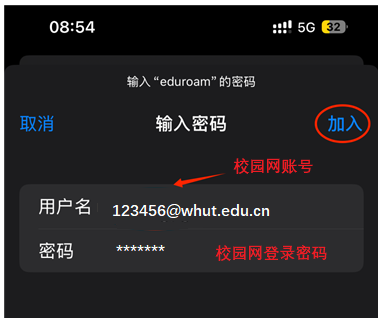
- Account: your campus network account followed by
@whut.edu.cn. Example: campus card number 123456 →123456@whut.edu.cn. - Password: your campus network password (the Smart WUT(智慧理工大) password).
3. Connect
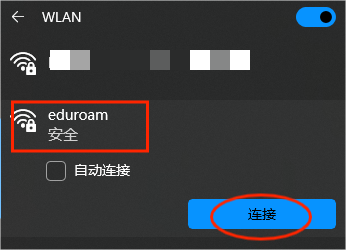
Computer
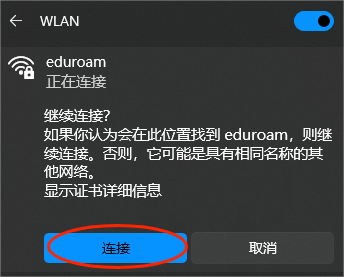
- Choose “eduroam” from the Wi-Fi list.
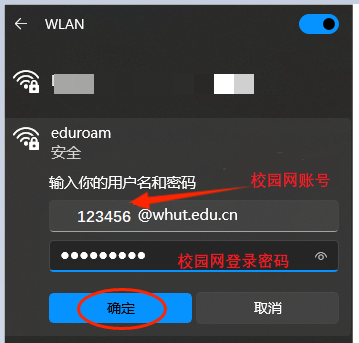
- Enter the account (for example
123456@whut.edu.cn) and the password. - Click Connect.
iPhone and iPad
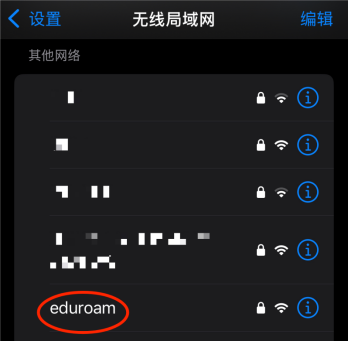
- Tap “eduroam” in Wi-Fi settings.
- Enter the account and password.
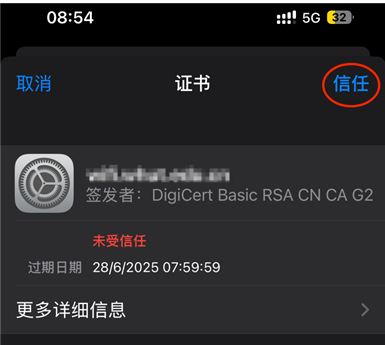
- Tap Join, then Trust to accept the certificate.
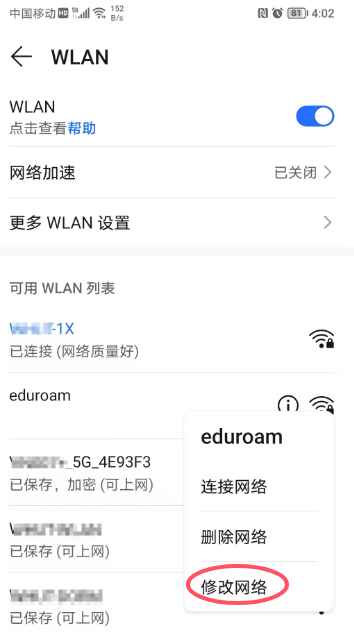
Android (Huawei as an example)
- Long-press “eduroam” in Wi-Fi settings.
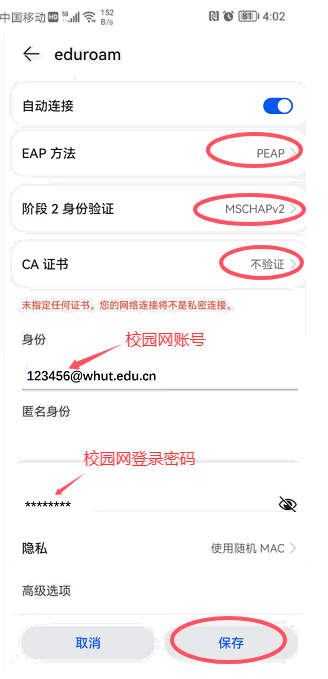
- Choose Modify network and set: EAP method PEAP; Phase 2 authentication MSCHAPv2; CA certificate Do not validate; Identity your account (
123456@whut.edu.cn); Password your campus network password. - Save to connect.